PicPinch for Mac
Images get smaller without you opening anything: new screenshots as you take them, and the folders you watch. The same engine as the website, and it opens iPhone HEIC photos and camera RAW files too.
macOS 14 or later, Apple silicon and Intel · 5 images a day free · Yearly $12.99 or Lifetime $29.99PicPinch for Mac isn't available in mainland China yet.
Works while you work
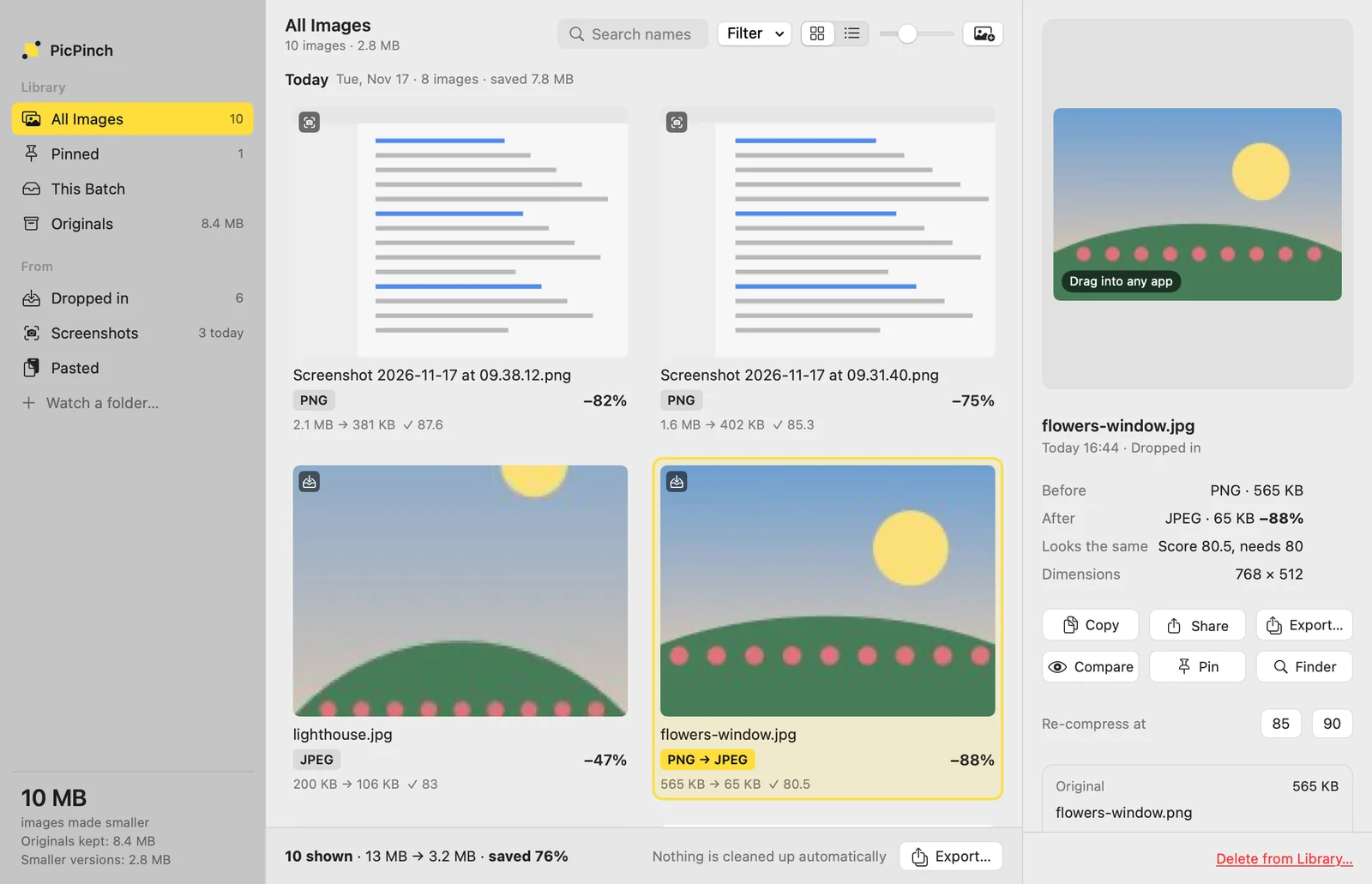
New screenshots, smaller as you take them
PicPinch watches the folder your screenshots go to. Each new one is made smaller and kept in its library; the original moves into PicPinch, so your Desktop stays clean and nothing is lost. Add other folders, each with its own settings.

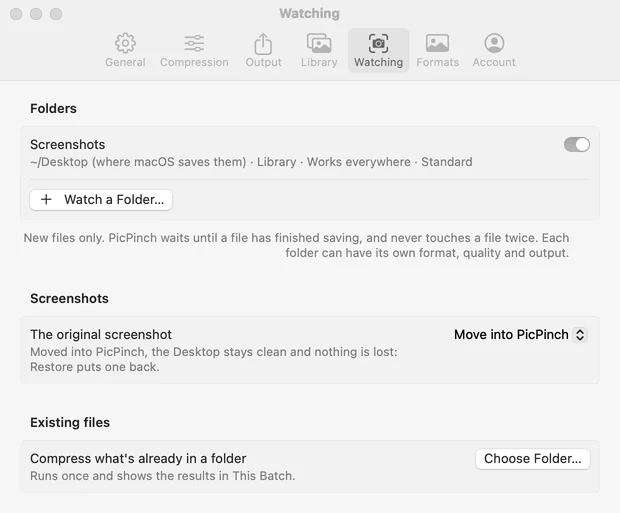
Wherever your images are
Drop images on the window, the Dock icon or the menu-bar icon, or paste them with ⌘V. The menu-bar panel keeps your recent images ready to drag into Mail, Slack or a web form.
A library, with your originals kept
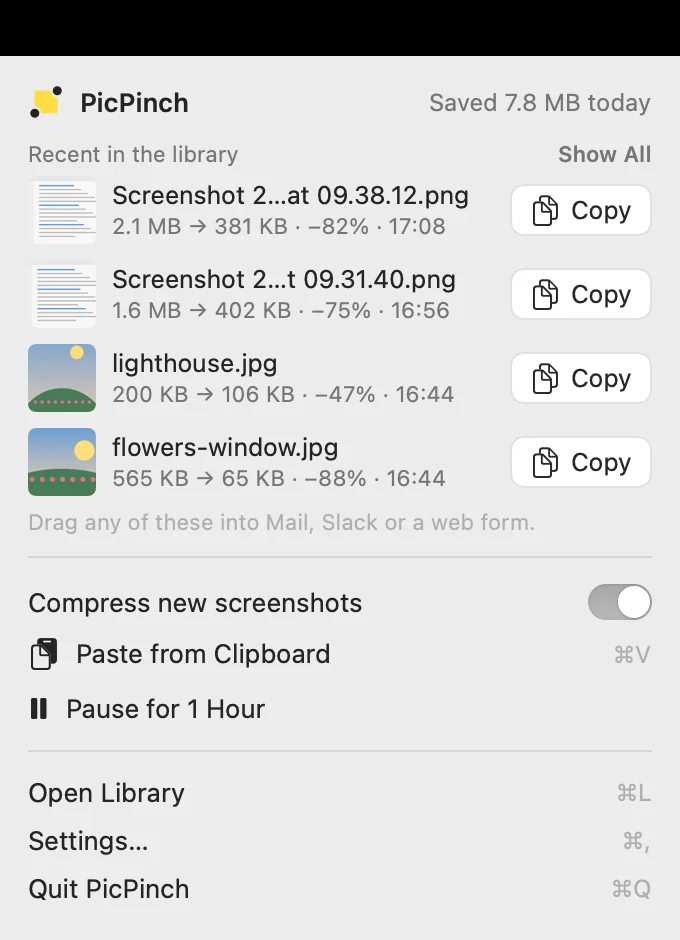
Everything it made smaller, in one place
Sorted by day, in a grid or a list, with search and filters by source and format. Drag any image out, copy it, share it, export it, or compress it again at a higher quality. Pin the ones you want to keep for good.
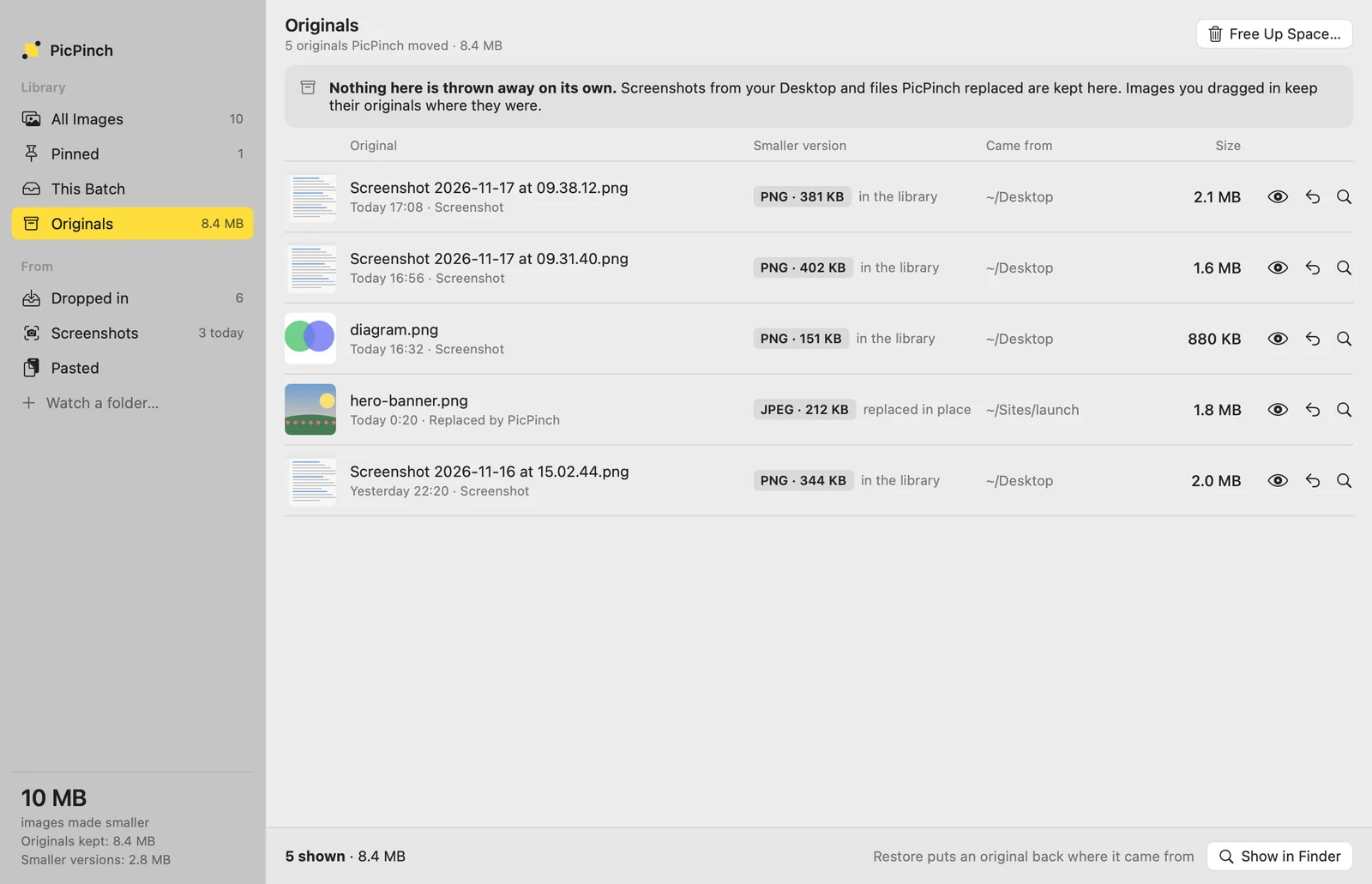
PicPinch never throws an original away on its own. Screenshots it moved and files it replaced are kept in its Originals area, where one click puts each one back where it came from. Images you drag in keep their originals where they were.
See the proof
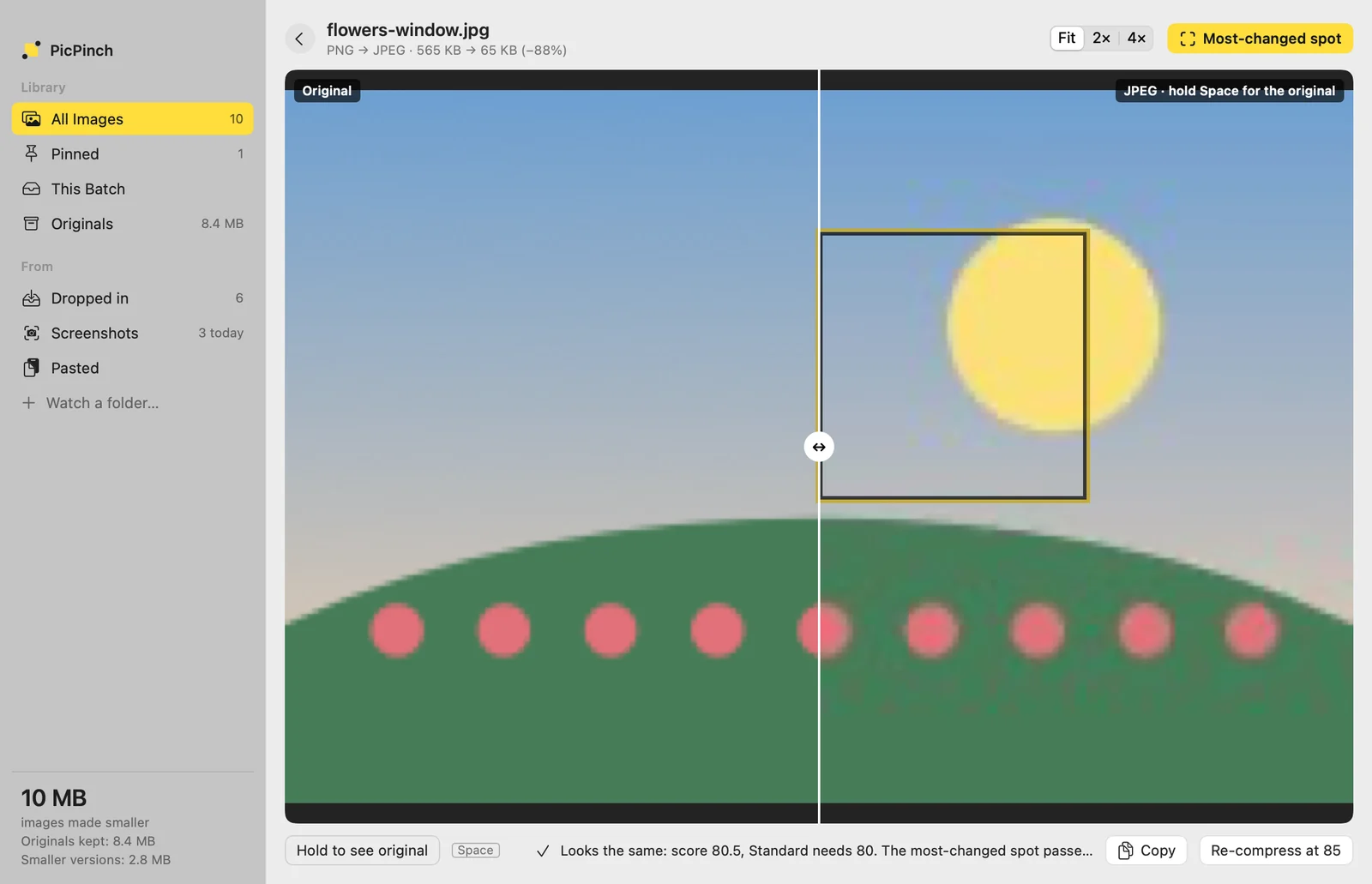
Compare, and the most-changed spot
Slide between before and after, hold Space for the original, zoom to 4×, or jump straight to the part of the image that changed most. Every file is scored the same way as on the website, and the original is kept when nothing smaller looks the same.
More than the website
- iPhone HEIC photos and camera RAW (CR2, CR3, NEF, ARW, RAF, RW2, DNG)
- More time for big images, with every format tried, so large screenshots can come out smaller
- Keep the author and copyright, or all metadata, if you want to
- Works with no internet at all
Yearly or lifetime
Yearly
$12.99 a year
- Renews each year, cancel anytime
- Every feature, every update
Lifetime
$29.99 once
- Pay once, keep forever
- Every feature, every update
- Without a plan, 5 images a day stay free
- A plan unlocks unlimited images, automatic screenshots, watched folders and keeping metadata
PicPinch for Mac isn't available in mainland China yet.
Questions
- Is PicPinch for Mac a subscription?
- You choose. Yearly renews each year until you cancel it. Lifetime is paid once and kept forever, with every update included.
- What can I do without a plan?
- Make 5 images a day smaller, by hand, and keep using your library. A plan unlocks unlimited images, automatic screenshots, watched folders and keeping metadata.
- Does the Mac app upload my images?
- No. Like the website, it compresses everything on your Mac and works without internet.
- Is it the same engine as the website?
- Yes. It also opens iPhone HEIC photos and camera RAW files, gives big images more time, and runs without you opening it.